From concept to a working app, in rounds of iteration
I designed G2G in rounds, from sketches to wireframes to clickable prototypes, and tested each round with a few children, teachers, parents and grandparents. A shared calendar, already part of many families' routines, became the backbone. I designed the interface, and a developer built it under my direction as a web app for the iPad.
An early idea rewarded children with points toward a wish list. It might have kept them posting, but it could distract from the relationship, add work for parents, and turn a family routine into something done for prizes.
- Families already used one. Calendars were part of how families organized their days, so G2G could slip into existing routines instead of asking for a new habit.
- It showed everyday life. Each sticker or video sat on the day it happened, giving grandparents the small, ongoing picture of a child's life they were missing.
- It fit any schedule. Posts waited on the calendar until the other person was free, across time zones, school and work.
- It felt like keeping a diary, not reporting. Children logged their own day, and sharing it with grandparents came for free.
What G2G does
G2G is a shared family calendar for the iPad, where children and grandparents post stickers and short videos about their day.
Try it: select a feature to see it in the app.
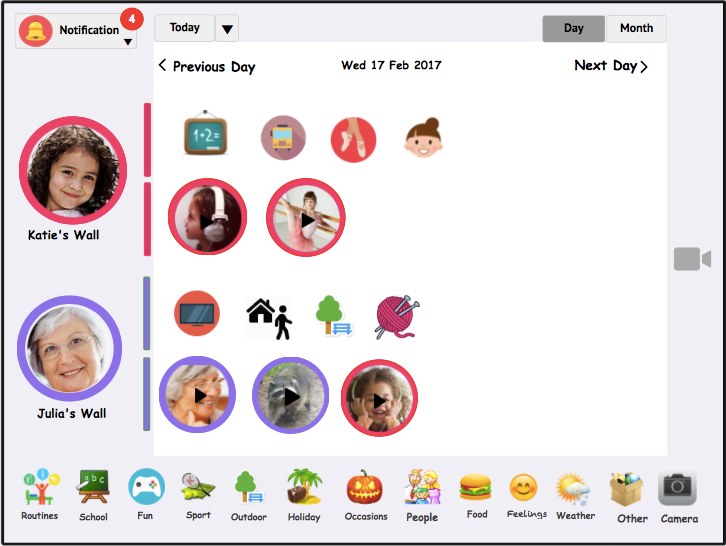
Each child and grandparent has their own wall for the day. Whatever they post appears there, so the whole family can see each other's day at a glance.
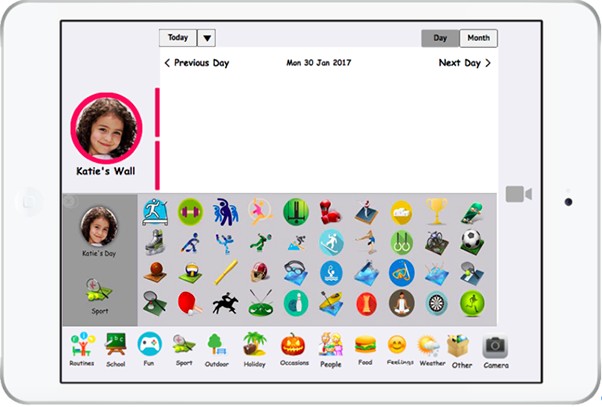
Stickers in categories such as school, sport, food, weather and feelings let children share what they did with a tap. No reading or typing needed, so even five-year-olds can post on their own.
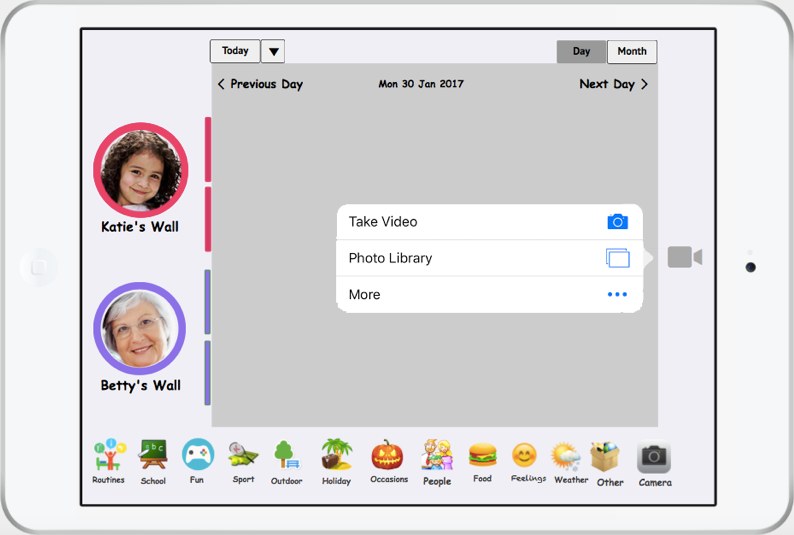
For longer stories, anyone can record a video or add one from their photos. Each video is tied to the day it happened, so it never gets lost in a chat thread.
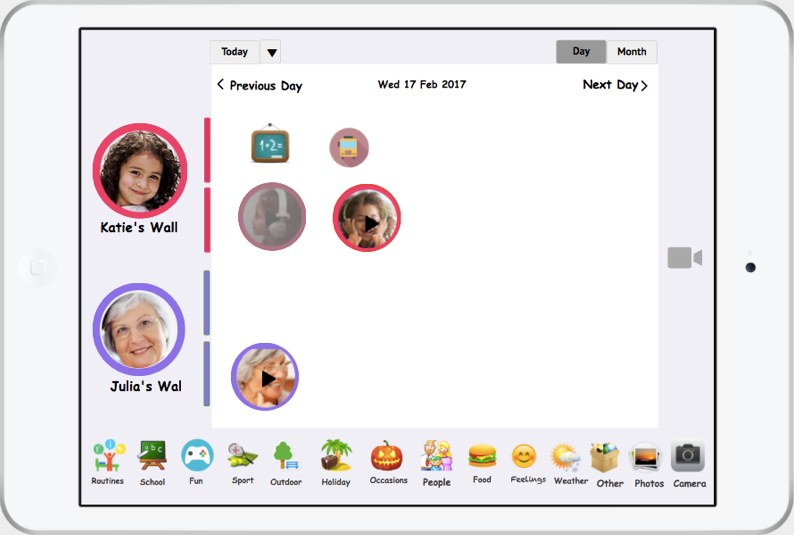
Videos show up as thumbnails on the poster's wall, and a reply goes back to the sender's wall, keeping each conversation next to the moment it's about.
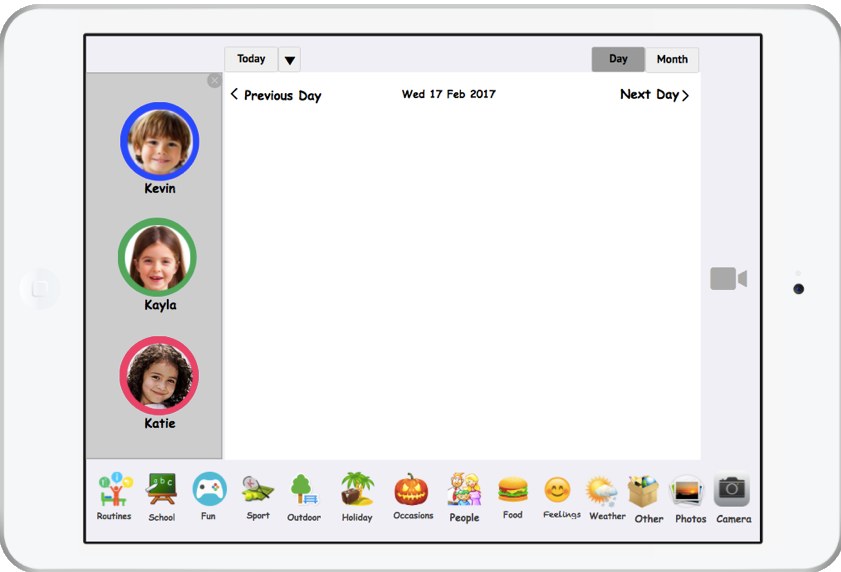
Brothers and sisters share one tablet, but each child has their own wall and colour. Tapping their photo switches who is posting, with no logins to remember.
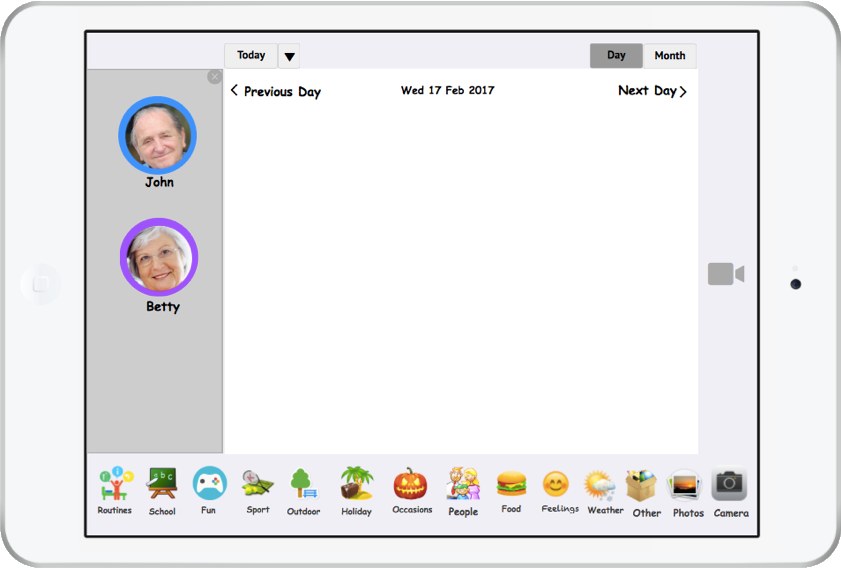
Grandparents share a device too, each with their own wall, so a grandchild can talk to one of them or both. Each person's colour shows who posted what.
Children can connect with both sets of grandparents, and grandparents with grandchildren in different homes. Each household is its own space, so every relationship has room to grow.
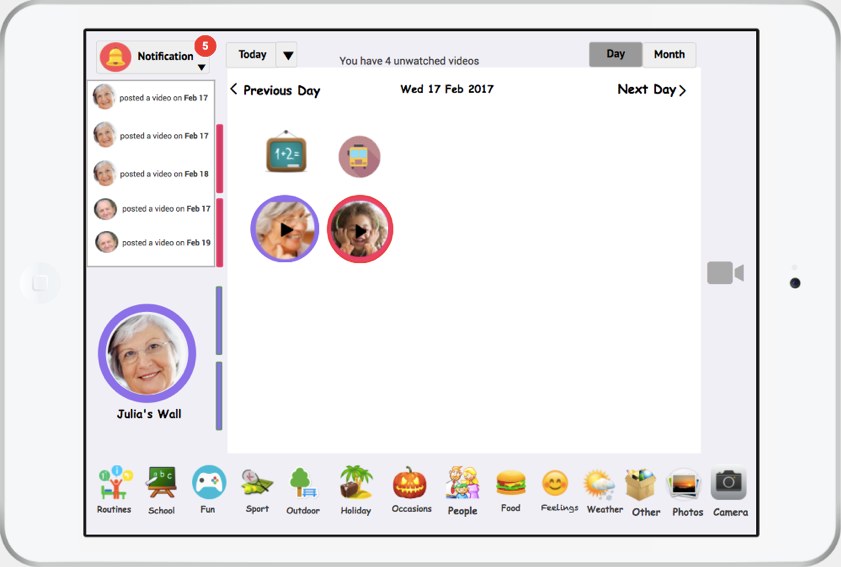
Notifications show who posted and when, so grandparents and children can catch up on what they missed.
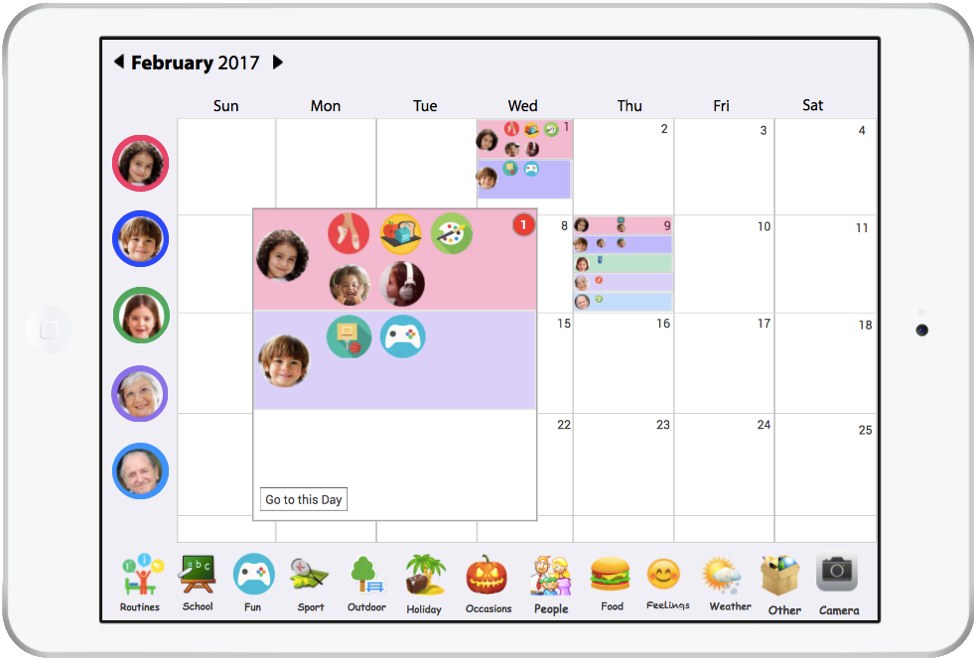
The month view shows who posted on which days, each person in their own colour, so families can look back, or plan ahead for a birthday or a visit.
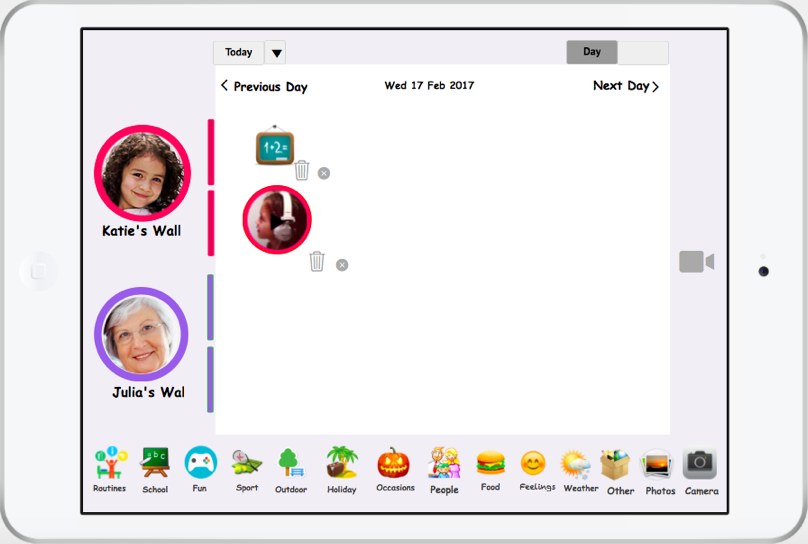
Anyone can remove what they posted. This came straight from the pilot, after a mother asked to remove a video that showed more of her home than she wanted.
Iterating with a pilot family
A three-week pilot with one family surfaced two problems, and I changed the design before the field study.
Every extra choice was a place to get stuck. Removing one decision made posting effortless for a five-year-old and a grandparent alike.
Choosing whose wall to post on confused grandparents and children.
Replies go to the sender's wall, so the conversation stays together.
What one household shares, another sees, and that can be delicate between families. Giving people control over their own posts protected both privacy and relationships.
A mother wanted to remove a video that showed more of her home than she was comfortable with.
Anyone can remove what they posted, at any time, so families stay in control of what crosses between homes.